
HOW AI TOOLS ARE CHANGING EVERYDAY LIFE
AI means Artificial Intelligence. It is like a smart computer brain that assist machines think, learn and do tasks just like humans. AI tools are now becoming part of our daily life – making things faster, easier and smarter. Let’s see how AI is changing our daily activities in simple ways.
1.AI tools are improving the capabilities of smart homes.
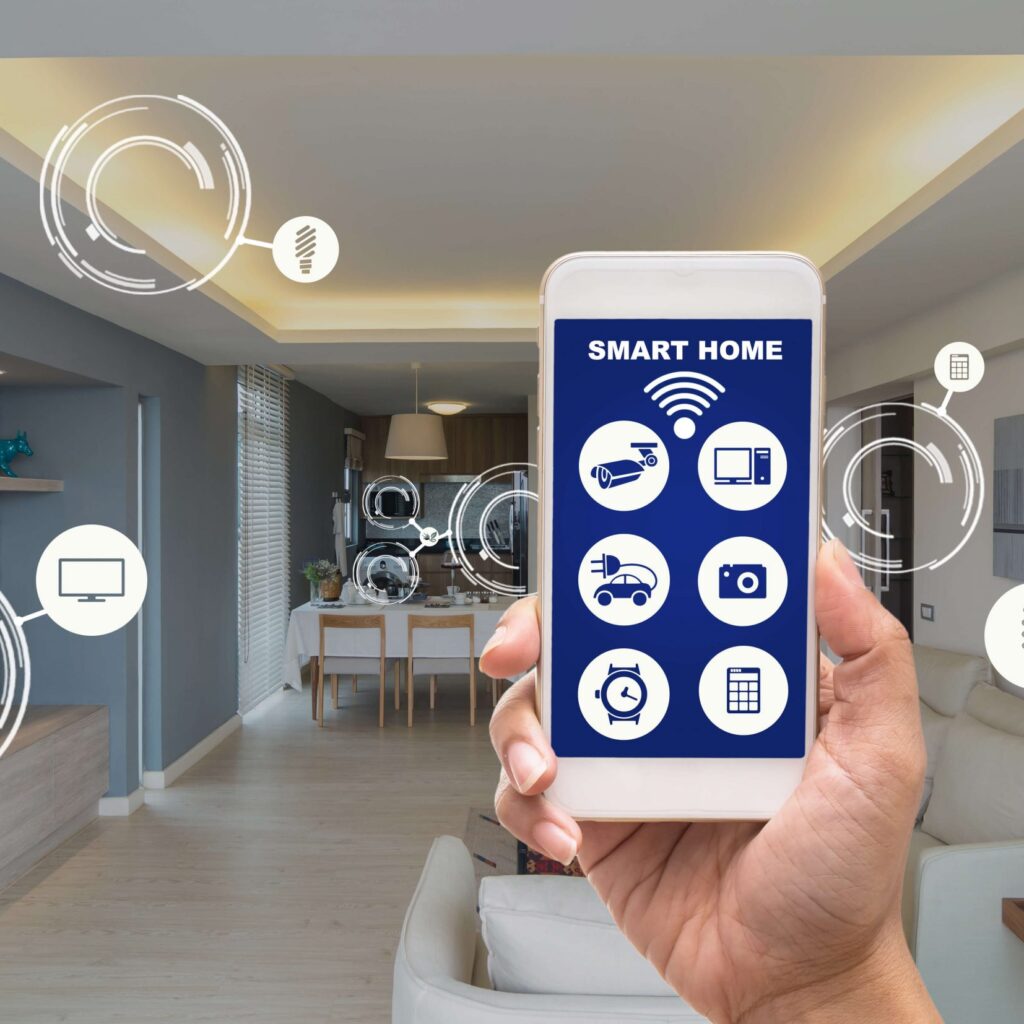
A smart home is a house where many things like lights, fans, appliances and security systems are connected to the internet and can be controlled by your phone. These devices use Artificial Intelligence (AI) tools to make life easier, safer and more comfortable zone.
Let’s learn how smart homes work and how they help in daily life.
1.What is a Smart Homes?
A smart home uses special devices that can be:
Controlled remotely
Automated
Connected with each other (work as a team)
Example: You can switch off your bedroom light using your phone — even if you’re not at home.
2.Voice Control Devices
Smart homes often use voice assistants like:
Amazon Alexa
Google Assistant
Apple Siri
You can say:
“Alexa, turn on the fan”
“Hey Google, play music”
“Siri, what’s the news today?”
These devices listen and follow your instructions.
3.Smart Lights and Fans
Smart bulbs and fans can:
Be turned on or off using your phone
Change brightness or color
Turn on/off at set times
4.Smart Locks and Security
Smart homes have better safety options like:
Smart locks – unlock doors with phone or fingerprint
Security cameras – watch your home from anywhere
Motion sensors – alert you if someone moves outside
Example: You get a mobile alert when someone is at your door.
5.Smart ACs and Thermostats
These devices:
Learn your daily habits
Adjust temperature to your liking
Help save electricity
Example: The AC turns off automatically when you leave the room.
6.Smart TVs and Appliances
Smart TVs can:
Connect to Wi-Fi
Stream YouTube, Netflix, etc.
Respond to voice commands
Other smart appliances:
Washing machines, refrigerators and microwaves can be operated from your phone.
7.Automation = Less Effort
Smart homes save your time and effort by doing tasks automatically.
Examples:
Curtains open in the morning
Lights turn off when no one is in the room
Coffee machine starts at 7 AM daily
You can also create routines like:
“Good Night” – turns off lights, locks doors, sets alarm.
8.What You Need for a Smart Home
To start a smart home, you need:
A Wi-Fi connection
A smartphone
Smart devices
A voice assistant (optional but helpful)
Start small – even 1 (or) 2 smart devices can make a huge difference.
Smart homes make life more comfortable and safe. You can control your lights, fans, TV and even doors with just your voice or phone. With AI tools and automation, daily tasks become simple and smooth. Smart homes save time, energy and give comfort.
2.AI Tools Shaping the Future of Smartphones

A smartphone is more than just a phone. It is like a mini-computer that fits in your hand. You can use it to make calls, send messages, take pictures, watch videos, play games and even do your work.
Smartphones have become a big part of our everyday life and all age people are used.
1.What Makes a Phone “Smart”?
A smartphone is called “smart” because:
It can connect to the internet
It can run apps (small programs like WhatsApp, YouTube, PayTM, etc.)
It has touchscreen, camera, and smart features like voice control
Example: You can video call your family, order groceries, and take photos – all from one device!
2.Internet and Apps
Smartphones use Wi-Fi or mobile data to go online.
You can:
Browse websites
Watch YouTube
Use social media
Shop online
Book tickets, pay bills and more
Apps like Google Maps help with directions. Zomato lets you order food. UPI apps help you pay money safely.
3.Camera and Photos
Most smartphones have front and back cameras.
You can:
Take high-quality pictures and videos
Use filters and edit them
Share them directly on social media
4.Smart Features (Using AI)
Modern smartphones use Artificial Intelligence (AI) to make life easier:
Suggest words while typing
Improve photo quality
Recognize your voice (Google Assistant, Siri)
Translate languages
Example: Say “Open YouTube,” and the phone will do it for you.
5.Entertainment on the Go
Smartphones are like your personal TV and music player.
You can:
Watch movies or shows on Netflix, YouTube, etc.
Listen to music and radio.
Play fun games (solo or with friends)
6.Work and Learning
Smartphones help with work and study too.
Check and send emails
Join video meetings
Attend online classes
Use educational apps
Students use apps like Byju’s or Duolingo to learn new things. Adults use Canva or Google Docs for work.
7.Safety and Security
Smartphones have features like:
Fingerprint lock or face unlock
GPS location tracking
Emergency calling and alerts
Parents can track their child’s location or use screen time limits for safety.
8.Use It Wisely
While smartphones are helpful, too much screen time is not good. Use them smartly:
Take breaks
Don’t use phones while walking or driving
Avoid using phones before the bed
Balance is the key to healthy smartphone use.
Smartphones have changed the life, work, learn and connect. They help us stay in touch, get information quickly and do many tasks with ease. Whether it’s watching a video, paying a bill or learning something new, a smartphone is your smart friend. Use it well – and it can make life easy, fun and productive.
3.Buying products online through the use of AI tools

Online shopping means buying things from the internet using a phone, computer. You don’t need to go to the market or mall. You can sit at home, choose what you want, pay online or on delivery and the product comes to your house.
It is easy, fast and popular for people of all ages.
1.How Online Shopping Works
Go to a shopping website.
Search for the item you want.
Add it to your cart.
Pay using UPI, card, or choose Cash on Delivery.
The product is packed and sent to your home.
Example: You want a saree. Open the Meesho app, pick your favorite, pay and it will be delivered in 2–4 days.
2.Popular Online Shopping Apps
Amazon – everything from electronics to groceries
Flipkart – mobiles, clothes, home items
Meesho – low-price fashion, household items
Myntra – clothes, shoes, beauty products
BigBasket/Blinkit – groceries and daily needs
Nykaa – skincare, makeup, wellness
You can install these apps from the Play Store or App Store.
3.What You Can Buy Online
You can buy almost anything:
Clothes and shoes
Mobile phones and electronics
Grocery and vegetables
Beauty and health items
Furniture and kitchen tools
Books, toys, gifts
It’s like a full shopping mall inside your phone!
4.Payment Options
Online shopping offers many payment choices:
UPI (PhonePe, Google Pay, Paytm)
Debit/Credit cards
Net banking
Cash on Delivery (COD)
You can pay however you feel safe.
5.Benefits of Online Shopping
Saves time and travel
More choices in one place
Easy to compare prices
Offers, discounts, and deals
Doorstep delivery
Easy returns or exchanges
You can shop at midnight, during a break or while relaxing at home.
6.Be Careful While Shopping Online
Only use trusted websites and apps
Do not share your OTP or bank details
Read product reviews and ratings
Check return and refund policies
If a deal looks “too good to be true,” it might be a scam.
7.Smart Tips for Online Shopping
Make a shopping list
Compare prices on different apps
Use filters to find the right size, color or price
Wait for sales like “Big Billion Day” or “Great Indian Festival”
Online shopping makes life simple and quick. You can shop for anything from anywhere, anytime. It is useful for busy people, homemakers, students and elders. Just be careful and smart and enjoy the comfort of shopping from home!
4.Entertainment and Social Media Using AI Tools

In today’s world, most people use their smartphones and internet for fun, enjoyment and staying connected. This is called digital entertainment and social media. It helps us relax, pass time, learn new things and connect with others — all from the comfort of our home.
1.What is Entertainment?
Entertainment means anything that makes you happy, relaxed or excited. It includes:
Watching movies or videos?
Listening to music?
Playing games?
Watching comedy shows, reels, or funny videos?
Reading blogs or eBooks?
Example: You watch a dance video on YouTube during lunch break — that’s entertainment!
2.What is Social Media?
Social media are websites and apps where people can:
Share photos, videos or messages
Talk with friends or family
Watch reels or stories
Follow celebrities or favorite pages
Popular social media apps:
Instagram – for reels, photos and stories
Facebook – for connecting with family and friends
YouTube – for videos, tutorials and vlogs
WhatsApp – for chatting and sharing status
Twitter (X) – for news and updates
Snapchat, Telegram, Pinterest etc.
You can post your own dance reel or watch someone cooking a new recipe — both are social media fun!
3.How It Helps Us
Entertainment and social media:
Help us relax after a busy day
Give knowledge and updates
Let us connect with people from around the world
Give a platform to share your talent (dance, art, cooking, tips, etc.)
Bring joy with memes, jokes, and videos
Homemakers can share recipes. Teenagers post dance reels. Everyone finds something they like.
4.Use It Wisely
Too much time on social media or screens can be harmful. So:
Take breaks often ?
Don’t believe everything you see online ?
Avoid comparing your life with others
Keep your information private ??
Spend time with real family and friends too ??
Use social media for learning, fun and connection — not stress or comparison.
5.Fun + Learning = Smart Entertainment
Some apps and channels are both fun and educational:
Watch science or history videos on YouTube
Follow fitness or motivation pages
Play quiz or brain games
Entertainment can also help you grow if you choose the right content!
Entertainment and social media are part of our daily life. They bring happiness, fun and connection. From watching reels to chatting with loved ones — it’s all just a click away. But remember to use them smartly, safely and balance with real life. That way, you can enjoy the best of both worlds — online and offline!
5.Travel and Navigation Using AI Tools
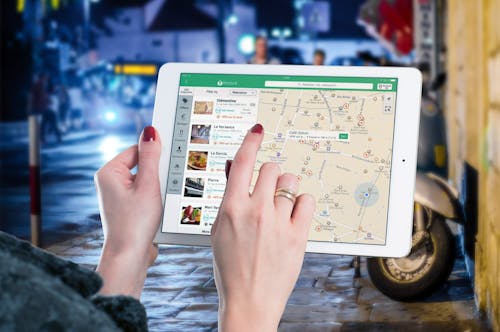
Travel means move from one place to another, typically over a distance of some length — for fun, work or any purpose. Navigation means finding the right direction or route to reach your right destination.
With the help of smartphones and technology, traveling has become easier, safer and faster. You no longer need to ask for directions or carry a paper map or your phone can guide you!
1.What is Travel?
Travel can be:
Short trips
Long journeys
For fun, work or need
Example: You go to Tirupati for darshan or to Goa for a holiday — both are types of travel.
2.What is Navigation?
Navigation means:
Finding the perfect way to reach a place
Knowing your current location
Getting step-by-step directions while driving or walking
Smartphones use GPS to show maps and directions. This is called digital navigation.
3.Best Travel & Navigation Apps
Google Maps – most used app for directions
Uber / Ola – for booking cabs
IRCTC / MakeMyTrip – for train or flight bookings
Zomato / TripAdvisor – to find food and travel spots
RedBus – for booking buses
You can check traffic, time to reach and nearby petrol pumps or restaurants with just one app!
4.How Smartphones Help You While Traveling
Show your live location on the map
Give voice directions
Help find hotels, ATMs, fuel stations nearby
Share your location with family for safety
Book taxis, flights, trains, or hotel rooms
If you’re lost, just open Google Maps — it will guide you back safely.
5.Travel is Easier Than Ever Before
Earlier:
People used paper maps or asked others for directions
Finding a bus or train was slow and confusing
Now:
Just enter your destination and follow your phone
Book tickets online and get real-time updates
Even in a new city, your smartphone becomes your travel guide!
6.Be Safe While Traveling
Don’t share your travel details with unknown persons
Keep your phone charged or carry a power bank
Use trusted apps only
Download offline maps if going to a village or hill area
Always inform someone about your travel plans for safety.
Travel and navigation have become simple and smart with the help of smart phones and apps. You can find your way, book rides and explore new places — all at your hand only. Whether you’re going to the next street or another country, your smartphone is your best travel partner. Use it wisely and enjoy your journey with easy and confidence!
6.Healthcare Using AI Tools

Healthcare means taking care of our body and mind to stay healthy. It includes doctors, hospitals, medicines and habits that help us prevent. Everyone needs healthcare to live a healthy life.
1.What is Healthcare?
Healthcare is the help we get when we are:
Sick or injured
Pregnant or giving birth
Need a checkup
Want to stay healthy life
It includes:
Doctors and nurses
Hospitals and clinics
Medicines and tests
Vaccines and surgeries
Health tips and prevention
2.Types of Healthcare Services
Primary care – Regular checkups, fever, cold etc.
Emergency care – Accidents, heart attack, serious injury
Specialist care – Eye, skin, child, women’s health
Preventive care – Vaccines, health checkups
Mental healthcare – Counseling, stress help, therapy
Different doctors help with different problems – like a dentist for teeth or gynecologist for women’s health.
3.Who Provides Healthcare?
Doctors
Nurses
Pharmacists (who give medicines)
Lab technicians (who do blood tests)
ASHA workers in villages
They all work together to protect you and your family healthy.
4.Importance of Healthcare
Helps to treat sickness early
Prevents diseases before they spread
Upgrade quality of life
Protects mothers and children
Supports elderly and chronic patients
Guides people for better health habits
With good healthcare, we live longer and feel better.
5.Technology in Healthcare
Now, phones and apps also help in healthcare:
Book doctor appointments online
Digital reports: Check test results online
Apps like Practo, 1mg and Aarogya Setu are used in India.
6.Challenges in Healthcare
Lack of hospitals in rural area
Expensive private treatment
Long waiting times
People ignoring symptoms
Poor hygiene in some clinics
Government and NGOs are working to improve healthcare for all.
7.How You Can Take Care of Your Health
Eat healthy food?
Drink clean water?
Exercise daily?
Sleep well?
Avoid junk food and smoking?
Visit the doctor if you feel unwell
Go for regular checkups
Take vaccines on time?
Healthcare is an important part of life. It helps you live longer, feel better and stay strong. Getting the right health care at the right time, whether you have a minor cold or illness, can save lives. Take care of your health daily — eat well, rest and don’t ignore your body. Health is true wealth!
7.Education and Learning Using AI Tools

Education means gaining knowledge, skills and values. Learning means understanding new things through study, experience or practice. Education is not just about school — we keep learning all through life!
1.What is Education?
Education helps us:
Read and write
Count and solve problems
Understand the world
Get jobs and build a career
Become better people
Example: A child learning ABCs or an adult learning digital skills — both are education.
2.Where Do We Get Education?
Schools – for children (primary to high school)
Colleges/Universities – for higher studies
Online classes – learning from home
Skill training centers – for jobs (like tailoring, computers, etc.)
Libraries and mobile apps – for self-learning
Apps like YouTube, Byju’s, Vedantu or Khan Academy help students learn online.
3.What is Learning?
Learning is how we:
Understand new ideas
Improve our thinking
Practice skills
Become better every day
Learning never stops!
You can learn at any age — from cooking to using a smartphone.
Example: A homemaker learning digital marketing is also learning.
4.Digital Learning
Today, learning happens through phones, tablets and computers:
Watch videos
Attend live classes
Read e-books
Take quizzes
Get certificates
Even in villages, many people now learn online thanks to mobile data and free platforms.
5.Why Is Education Important?
Builds knowledge and confidence
Helps people get better jobs
Reduces poverty
Teaches right and wrong
Makes us independent
Improves the country
An educated girl can support her family and teach others too.
6.Problems in Education
Lack of schools in some areas
Expensive private education
Not enough digital access in villages
Children dropping out early
Language or gender barriers
Government schemes like midday meals, scholarships, and free tablets are helping solve these issues.
7.Learning is for Everyone
Children learn basics
Teenagers learn for exams and careers
Adults learn for skills and jobs
Elders can learn new hobbies or health tips
Learning makes life interesting at every stage!
Education and learning are the keys to a brighter future. It helps us grow, become skilled and live with confidence. In today’s world, we can learn anything — anytime, anywhere. Whether it’s a child in school or a mother learning online, learning never stops. Keep learning and keep growing — because education is power.
8.Jobs and Office Work Using AI Tools

A job is the work a person does to earn money. Office work is the type of job that people do in a company, business or organization, usually using a computer or phone. People do jobs to support their family, lifestyle and future goals.
1.What is a Job?
A job can be:
Full-time – working 8–9 hours a day
Part-time – working only a few hours
Work from home – using internet and phone
Freelance – doing small tasks for different clients
Example: A teacher, driver, cook, digital marketer — all are doing jobs in different ways.
2.What is Office Work?
Office work usually means:
Sitting at a desk
Using computers or files
Attending meetings
Sending emails or messages
Handling customers or team work
Office work can be done in places like IT companies, banks, hospitals or even from home (online jobs).
3.Common Office Jobs
Data entry
Customer support
Marketing and sales
Human resources (HR)
Finance and accounting
Design and writing
Software development
Each job has different roles but all need focus, communication, and basic computer skills.
4.Office Tools and Skills
People use tools like:
Computers and laptops
Microsoft Office (Word, Excel)
Emails and Zoom calls
Printers, scanners, and files
Skills needed:
Typing
English speaking or writing
Time management
Teamwork
Problem-solving
Learning digital skills helps you grow in any office job.
5.Office Life – What It’s Like
In most offices:
People follow a schedule (9 am to 6 pm)
Work in teams
Have targets or deadlines
Get salaries monthly
May have promotions or bonuses
Some jobs are stressful, but many people enjoy office culture and friendships.
6.Work From Home (Remote Jobs)
Many people now work from home:
Using a laptop and internet
Attending video meetings
Sending work through email or apps
Remote work helps mothers, students, or anyone who cannot travel daily.
7.Digital Jobs for Housewives or Beginners
Affiliate marketing
Social media manager
Data entry
Virtual assistant
Online tutor
Graphic designer
These jobs can be done with basic digital skills and are great for starting from home.
Jobs and office work are an important part of life. They help us earn, grow and feel independent. Whether at a big company or from home, office work needs focus, basic skills and discipline. With digital tools, even homemakers or beginners can find great job options. Keep learning and you can build a successful career step by step!
9. Personal Use for AI Tools
AI means machines or apps that can think, learn and help us like humans. In daily life, AI is used in phones, apps, smart devices and websites to make our tasks easier and faster.
We use AI every day — sometimes without even knowing it!
1.What is Personal Use of AI?
Personal use of AI means using smart apps and tools at home or in daily life to:
Save time
Get information quickly
Make decisions
Stay organized
Have fun or learn
Example: When you ask Alexa to play music or get a recipe from ChatGPT — that’s AI helping you personally.
2.Examples of AI in Daily Life
Here are some ways we use AI at home or personally:
1.Voice Assistants
Alexa, Siri, Google Assistant
Help you play music, check the weather, set alarms and ask questions
2.Smart Recommendations
YouTube, Netflix, Amazon
Suggest videos, shows or products you may like, based on your history
3.Photo Apps
Auto-enhance selfies, remove background or add filters
Apps like FaceApp, Snapchat or Instagram using AI
4.Chatbots & AI Writers
Tools like ChatGPT or Grammarly help you write messages, emails or blog posts
5.Personal Organizers
AI apps help schedule your day, set reminders and send alerts
6.Health Trackers
Smartwatches like Fitbit or Apple Watch use AI to monitor your steps, heart rate or sleep
Even your smartphone keyboard uses AI to suggest the next word while you type!
3.Benefits of AI for Personal Use
Saves your time
Gives fast answers
Organizes your life
Helps you learn new things
Makes shopping, cooking and planning easier
Adds fun with filters, games and entertainment
AI is like a personal helper that is available 24/7!
4.Things to Be Careful About
Don’t share personal info with unknown AI apps
Check facts before believing AI answers
Limit screen time and app usage
Choose trusted and safe apps
Use AI wisely — it’s a tool, not a brain.
AI is already a big part of our personal lives. From setting alarms to watching your favorite shows, AI makes everything faster and smarter. It can be your helper, teacher or organizer — right from your phone. Just use it wisely and it can improve your life every day!
10.Be Careful with AI Tools

AI (Artificial Intelligence) is very helpful — it answers questions, gives suggestions and makes life easier. But just like any other powerful tool, we must use it carefully and wisely.
AI is smart, but not perfect. It can make mistakes or be misused.
1.Why Should You Be Careful with AI?
Because:
AI can give wrong or confusing answers
It doesn’t always know what is true or false
Some apps may take your personal data
Fake photos, videos, or messages can be made using AI
Example: AI might say something with confidence — but it may not be correct. Always double-check.
2.Protect Your Privacy
Don’t share your full name, phone number, address or bank details with AI tools
Avoid clicking on random AI-generated links
Read app permissions before using AI apps
Only use trusted and secure apps like ChatGPT, Google or apps with good reviews.
3.Don’t Trust AI for Serious Decisions
AI should not be used to:
Diagnose diseases or give medical advice
Replace legal or financial experts
Make personal relationship decisions
AI can help you understand, but it’s not a doctor, lawyer, or therapist.
4.AI Doesn’t Have Emotions or Morals
AI can give answers based on data — but it does not feel or understand emotions.
It may say something:
That sounds rude
That is not appropriate
That doesn’t match your values
Don’t follow everything AI says. Use your own thinking.
5.Beware of Deepfakes and Fake Content
AI can create:
Fake voices
Fake videos
Fake photos or documents
These can be used to cheat or fool people.
If something feels “too real” or “too strange,” verify it from a trusted source.
6.Don’t Overuse AI
Using AI too much can:
Reduce your creativity
Make you lazy in thinking
Take up too much screen time
Affect your real conversations
AI should help you — not control you.
AI is a powerful tool that makes life easy, but it is not always right or safe.
Use it smartly — check facts, protect your personal data and don’t blindly follow what it says. Think for yourself and use AI as a helper — not a master.
Stay smart, stay safe.
CONCLUSION
In conclusion, AI tools are crucially transforming our everyday life by enhancing usefullness, improving efficiency and authorize smarter decision making.These ai tools are played From virtual assistants and personalized recommendations to smart home devices and advanced healthcare diagnostics, AI is seamlessly integrating into daily routines. These tools convert how we work, communicate, shop, learn and even manage our health. As these technologies continue to evolve, they promise to further revolutionize our lives, making tasks easier, faster and more personalized. However, it is essential to use AI responsibly and ethically to ensure its benefits are accessible and safe for all.

Related Posts